

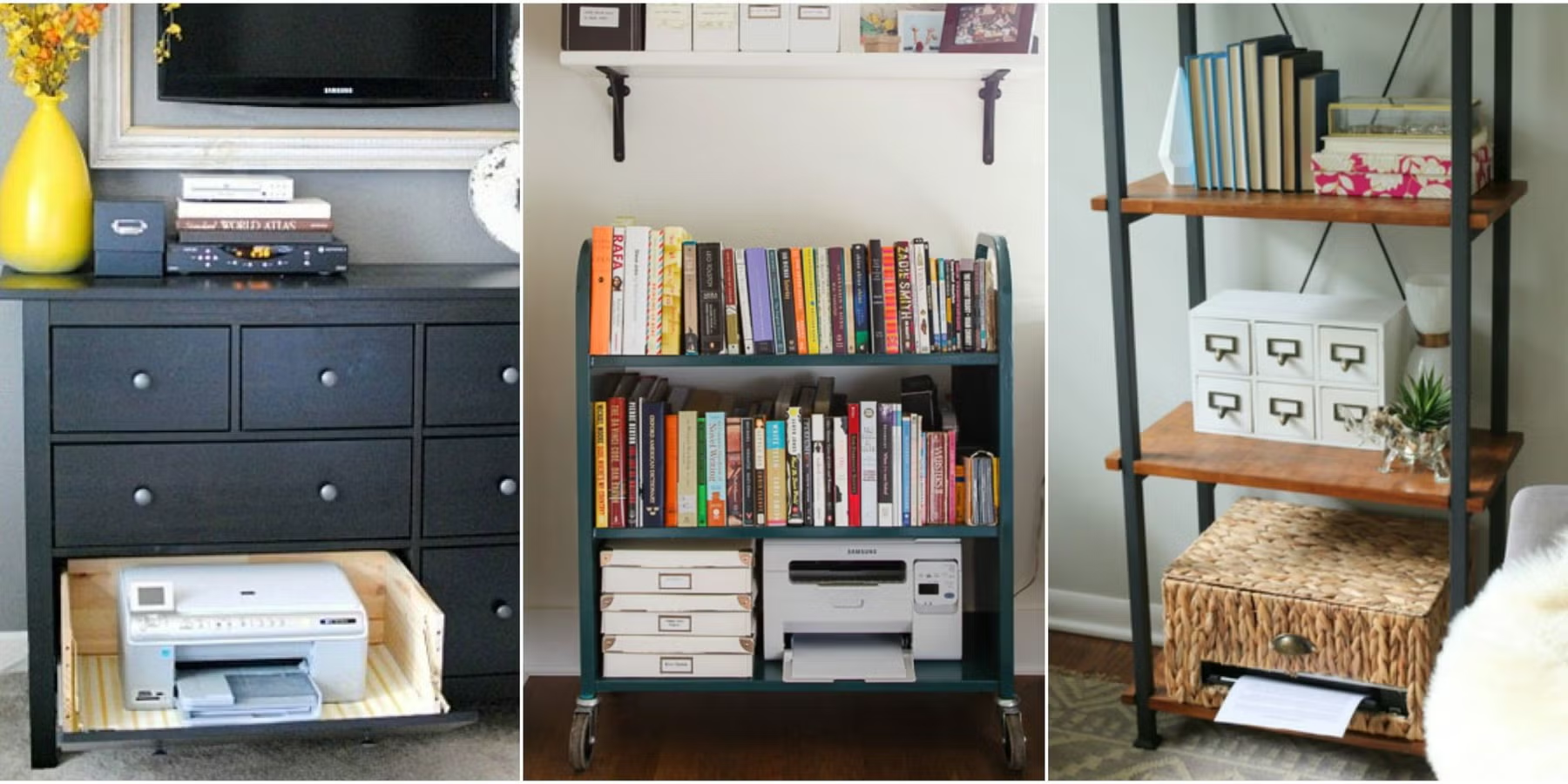
Printers are useful but rarely improve the appearance of a home office. Hidden printer storage ideas can keep the machine accessible while reducing visual clutter from paper trays, cables, spare ink, and office supplies. The best solution allows enough room for printing, ventilation, loading paper, and reaching controls without repeatedly moving the entire machine.
Start With the Printer’s Working Dimensions
Measure more than the printer body. Paper trays may extend from the front or back, lids lift upward, and cables need space behind the machine.
Those operating dimensions determine whether a cabinet is genuinely practical. While exploring home office design ideas, remember that a beautiful closed cabinet is useless if the printer cannot function comfortably inside it.
Check How You Replace Ink and Paper
Some printers require top access for cartridges or scanners. Others need space at the front to open paper compartments.
Test every moving panel before committing to a tight enclosure.
Use a Pull-Out Shelf Inside a Cabinet
A sliding shelf lets the printer move forward when needed and disappear after use. This arrangement can work inside a desk cabinet, built-in cupboard, or freestanding storage unit.
The shelf must support the printer’s weight and extend far enough for comfortable access. Organized workspace inspiration can also help you integrate the equipment with files, paper, and office accessories rather than treating each item separately.
| Storage Approach | Best Feature | Possible Limitation |
|---|---|---|
| Pull-out shelf | Easy access | Needs strong slides |
| Door cabinet | Cleaner appearance | Ventilation needed |
| Printer drawer | Very discreet | Size restrictions |
| Rolling printer cart | Flexible placement | Still occupies floor space |
Hide Cables Without Blocking Access
Cable openings in the rear of a cabinet can keep power and data connections organized. Leave enough room to unplug or troubleshoot equipment without dismantling surrounding storage.
Avoid crushing cords between the cabinet and wall. A thoughtfully arranged home workspace layout can make cable routes, paper storage, and equipment access feel like one coordinated system.
Store Paper Close to the Machine
Printer storage becomes much more useful when paper and supplies have nearby dedicated spots. Shallow drawers work well for paper because they keep sheets flat and easy to see.
Separate Everyday and Backup Supplies
Keep one package of frequently used paper close to the printer. Bulk packages, replacement cartridges, photo paper, and specialty supplies can live elsewhere if space is limited.
This prevents the printer cabinet from becoming overcrowded.
Mistakes That Make Hidden Printer Storage Annoying
A printer shouldn’t need to be lifted out of a cabinet every time you use it. That’s usually a sign that the enclosure is too small or poorly arranged.
Ventilation is another consideration because printers contain electronic components and may produce heat during operation. Follow the manufacturer’s placement guidance and avoid sealing equipment into a cramped compartment. Doors should also open widely enough that printed pages don’t collide with them.
Frequently Asked Questions
Can a printer be kept inside a closed cabinet?
It may be stored inside one, but operating requirements vary. Provide appropriate clearance and ventilation, and follow the printer manufacturer’s installation and placement guidance.
What is the best height for hidden printer storage?
A comfortable height depends on how often the printer is used. Frequently used machines are usually easier to manage around waist or desk level than close to the floor.
How can printer paper be hidden too?
Flat drawers, magazine-style holders, file boxes, or shelves inside the same cabinet can keep paper nearby while preventing packages from cluttering the desktop.
Keep the Equipment Accessible but Out of Sight
Hidden printer storage works best when concealment doesn’t make the printer harder to use. Account for every tray, lid, cable, and supply before choosing the cabinet. A pull-out shelf or generously sized compartment can keep the workspace visually calm while still letting the printer do its job without extra handling.